






Boss IPTV meets the crucial need of Indians to watch the Indian TV channels in USA and Canada. With more than a decade of being among the best Indian IPTV service providers in USA and Canada, and with thousands of happy customers, Boss IPTV has consistently achieved highest standards of service delivery.
If you are looking for a reliable supplier of Indian IPTV channels, Boss IPTV delivers HD quality channel in 4k resolution throught its high performing set top boxes. Now, the joy of watching Indian movies, sporting actions, web series and serials, among a number of other channels gets to a much higher level with Boss IPTV. Whether the need is to stay in tune with the changing times back home, or remaining hooked to the essential cultural tenets of your native place in India, nothing can be better than Boss IPTV in enriching yourself with information and entertainment!
Choose Boss IPTV and enter a whole new world of entertainment today. Read More
Boss IPTV gives you a smooth and clear Indian TV experience with fast service and no hidden fees. We offer HD and 4K channels, a big Bollywood library, and stable servers for non-stop entertainment. Boss IPTV also works on Firestick, Smart TV, Android, and iOS, so you can watch your favorite channels anywhere, anytime.
To test our service before buying, try our IPTV free trial and see why thousands of users trust Boss IPTV.
You get to enjoy all your favorite Indian TV channels in full HD picture quality. The diverse channel list of Hindi, Urdu, Bangla, Punjabi, etc. make it an ideal choice for the Indian TV shows lovers.
Boss IPTV is synonymous with supreme quality, which is recognized across the USA and Canada. We are always in the pursuit to bring the best of the world to our customers.
Along with providing exceptional quality services to our customers, we comprehend the needs of the customers and provide a dedicated 24*7 customer care support in English as well as regional Indian languages.
We are dedicated to our commitment of giving you the best deal for your money and don’t rip off our customers by including hidden charges such as installation or any other hardware related charges. We believe in transparency to ensure a long-term relationship with our customers.
What’s better than getting extraordinary quality services at unbelievably affordable prices? We always make sure that our customers get their desired subscriptions at inexpensive prices. The availability of multiple subscription plans make it convenient for customers to opt for their desired plans.
Ever notice how your cable bill just keeps going up but you still end up watching the same five channels? That's exactly what's pushing so many people across IPTV USA toward switching lately, and Boss IPTV's right there leading that shift. Instead of some bloated package full of channels nobody opens, IPTV streams everything straight off your internet: no dish, no clunky box, and no waiting on a technician.
What makes it click is the freedom. Watch whenever you feel like it, on whatever screen's closest: your phone, tablet, or TV. Nobody's stuck to some fixed schedule anymore. This isn't a passing trend either; it's genuinely becoming how households want to watch TV now.
Finding a solid Indian IPTV provider isn't always easy, but Boss IPTV earned its reputation for good reason. Our whole platform got shaped around what Indian households throughout the USA actually sit down and watch, not just some inflated channel count stuffed with filler nobody cares about.
Hindi dramas, Punjabi tracks, Tamil serials, Telugu blockbusters—every major Indian language finds a home under Boss IPTV. As a genuine IPTV provider, our attention stays fixed on dependable streaming, sharp pictures, and setups that don't demand you be some computer whiz. Grab decent internet and you're basically ready to roll.

There's no shortage of IPTV USA options floating around, but plenty fall short on actually delivering. Some just cram together a random channel list, and half of it doesn't even load properly.
Boss IPTV chose a different path entirely, keeping things straightforward, running dependable servers, and offering support that responds quick instead of ghosting customers for days at a time.
Thousands of Indian families spread across the USA already jumped ship and haven't regretted it once. Rather than overpaying for cable bundles loaded with useless channels, Boss IPTV delivers exactly what your household actually cares about watching, and at pricing that genuinely makes sense for the value.
Choosing to buy IPTV shouldn't feel like some drawn-out process, and that's exactly why we simplified everything top to bottom. Grab whichever plan lines up with your household size and what you're comfortable spending, whether you're a solo viewer or the whole family is under one roof.
Right after signing up, login credentials land in your inbox fast; get things configured on your device, and streaming starts almost immediately. No dragged out contracts, no sneaky fees showing up unexpectedly later. Every plan unlocks full Indian channel access plus regional programming too, and our lineup keeps growing steadily, so there's constantly something new worth checking out.
Picture clarity isn't something Boss IPTV ever cuts corners on. Standing as a dependable Indian IPTV USA provider means guaranteeing every single channel streams crisp across HD and 4K, whether that's on a massive living room television or just your phone screen during a quick break.
Being a trustworthy IPTV provider also means backing that quality with solid infrastructure, keeping buffering to a minimum even when everybody's streaming simultaneously during busy hours. Going with Boss IPTV means picking a service that genuinely prioritizes giving Indian households throughout the USA a dependable, smooth streaming experience day after day.
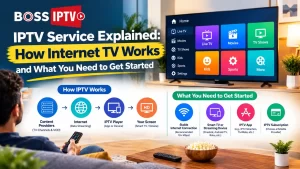
There are more options for TV services today than just cable or satellite. Internet TV offers viewers an additional option…

If you’re an Indian living in the US, there might be some struggles in celebrating these festivals, mainly because of…
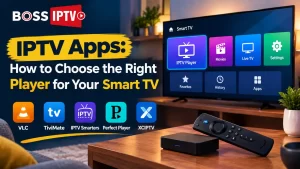
Join any discussion on going without cable and one common thing you will definitely be asked is what application should…














Boss IPTV is a premium IPTV service offering over 15,000+ live TV channels and 500,000+ VODs (movies, shows, and sports). We provide a smooth streaming experience with 99.9% uptime and reliable customer support across the USA and Canada.
You can easily subscribe on our official website – https://www.bossofiptv.com/home/. Choose your preferred plan, make a secure payment, and receive instant activation details by email.
Boss IPTV works seamlessly on Smart TVs, Android and iOS devices, Firestick, MAG, and IPTV boxes, ensuring high-quality HD and 4K streaming.
Our support team is available 24/7. USA Support: +1 346-299-8340 Canada Support: +1 778-372-2112 You can call, WhatsApp, or message us anytime for assistance.
Absolutely! Boss IPTV offers channels in multiple languages including Hindi, Tamil, Telugu, Punjabi, Urdu, and more — perfect for viewers across North America.
A stable internet connection of 10 Mbps or higher is recommended for HD streaming. For 4K quality, 20 Mbps or more ensures the best performance.
BOSS IPTV accepts multiple convenient payment options. You can pay using:
If you need more details or assistance with payment, please contact our Customer Service Team.
BOSS IPTV provides full service in both the USA and Canada, offering stable streaming, reliable support, and access to our complete channel lineup in both countries.
To receive the full channel list, please contact our Customer Service Team. Channel availability may vary depending on the region or area you live in.
BOSS IPTV works on multiple apps across iOS, Android, and Smart TVs. To know which app is best suited for your device, please contact our Customer Service Team for guidance.
Our official and main website is bossofiptv.com. Although we own a few additional domains, bossofiptv.com is the primary and trusted domain for all services.
There are many competitors who have created fake or misleading websites using similar names, such as “bossiptvs” with added letters or variations. Please be aware of these fraudulent sites, as they are not associated with us.
If you are ever unsure whether you are on the correct BOSS IPTV website, please call our official customer service number: 778-372-2112.
We have used this same number since day one, and our team can always confirm and assist you with any questions or concerns.
BOSS IPTV provides 24×7 customer support. You can reach us anytime through:
Our team is always available to assist you with any questions or issues.
Yes, BOSS IPTV does provide free trials.
To get your trial activated, please contact our Sales Representative or Customer Service Team. They will assist you and provide the free trial immediately.
You can take your BOSS IPTV set-top box with you when you travel, and it will work in your hotel room.
Once you arrive, simply connect the STB to the hotel’s Wi-Fi or wired internet, and it should start working normally.
If you need any assistance during setup, please contact our 24×7 Customer Service Team, and we will be happy to help.
For older adults, we recommend using the MAX Box.
It is the best option for the older generation because it provides a simple, user-friendly interface and delivers a traditional TV-like experience, making it very easy for seniors to navigate and enjoy.
Yes, it’s absolutely possible.
If you would like to switch from the app to an IPTV box, simply contact our Customer Service Team, and we will arrange everything for you.
We use priority shipping, and in most cases, customers in the USA and Canada receive their IPTV box the next day.
However, to be safe, we always inform customers that delivery can take 2–3 business days depending on the courier and location.
Yes, you can.
Please contact our Customer Service Team, and they will arrange a replacement remote for you. It will be shipped directly to your home address.
We offer a referral bonus for customers who refer family or friends.
Typically, the bonus ranges from 3 to 6 months of free service, depending on our current promotions. The exact offer may vary, and you might receive an even better deal based on the active promotion at that time.
Our hardware warranty is 1 year, so a box purchased 3 years ago would be outside the warranty period.
However, since you are an existing BOSS IPTV customer, you can contact our Customer Service or Sales Team, and we will provide you with a replacement box at a minimum discounted price.
We always try to support our long-term customers and ensure you can continue enjoying the service.
Yes, we offer both HD and 4K content.
To watch in 4K, make sure your TV supports 4K resolution and your STB (set-top box) is 4K compatible.
Please note that not all channels are available in 4K. Only selected channels are provided in 4K quality; the rest are available in HD.
Do you support popular devices like Roku, Apple TV, or Fire TV Stick?
Yes, our service is fully compatible with Roku, Apple TV, Fire TV Stick, and other popular streaming devices.
We provide full setup instructions for all supported devices.
If you need assistance, our customer support team is fully trained and ready to help you with the setup at any time.