
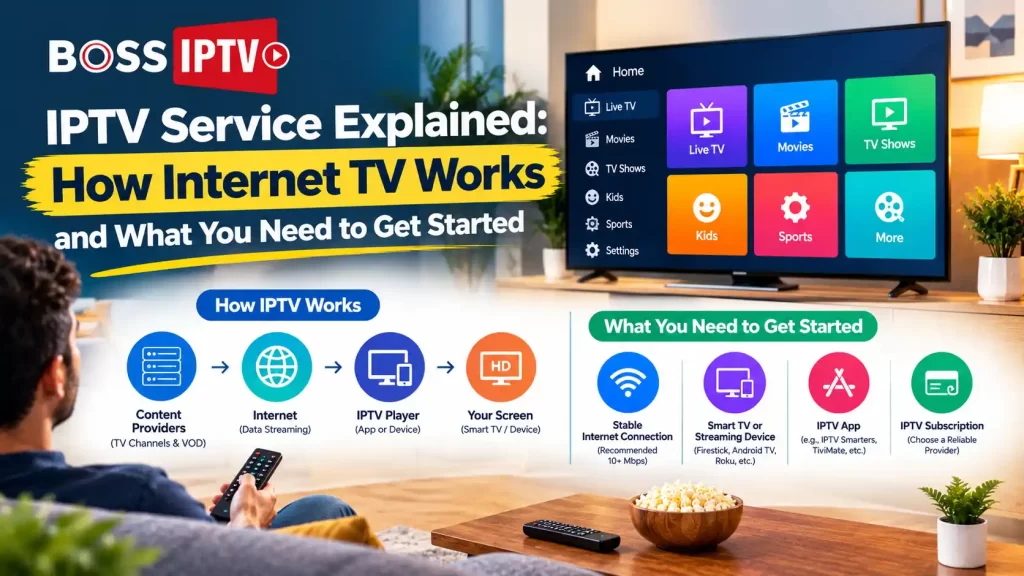
There are more options for TV services today than just cable or satellite. Internet TV offers viewers an additional option for live TV, sports, movies, and international programming on supported devices.
Searching for IPTV USA For Beginners, should that be the case, you might be wondering, how does it work? What equipment do I require? How do I pick the ideal subscription? Learning these basics will save you a lot of money and help you get the ideal plan for your way of watching shows.
IPTV vs Traditional Cable TV: Which Is Better?
| Feature | IPTV | Traditional cable TV |
| Content delivery | Internet connection | Cable network |
| Internet Required | Yes | Not usually for standard cable channels |
| Devices | Compatible TVs, streaming devices, phones, and computers | TV and compatible cable equipment |
| Installation | Often app-based | May require a cable connection and set-top box |
| Channel selection | Depends on the provider | Depends on the package |
| Cost | Varies by subscription | Varies by package and equipment |
IPTV Player vs IPTV Service Provider: What’s the Difference?
An IPTV player and an IPTV service provider have different functions. A difference you should be aware of.
An IPTV player is an application that launches and runs streams designed to play on the platform. A player may have a program guide and channel list built in but installing a player does not provide you with TV channels.
An IPTV provider offers television content for viewing, which is subject to the conditions of the providers’ subscription and licensing terms. Some options available to an IPTV provider customer can include live channels, on-demand, login details, setup assistance, and more.
Find the Right IPTV Subscription for You
Explore flexible IPTV subscription options from Boss IPTV and choose a package that fits your viewing needs. Get reliable streaming, a wide selection of entertainment and a simple setup for your compatible device.
Explore IPTV Subscription →Choose your preferred Boss IPTV package and start streaming.
| Feature | IPTV player | IPTV service provider |
| Main purpose | Plays compatible streams | Provides access to television content |
| Channel access | Requires a compatible content source | Depends on the subscription |
| Login details | May accept supported credentials | May supply account details |
| Support | Usually covers the application | May cover account and service issues |
| What to check | Device compatibility and features | Channels, pricing, reliability, and licensing |
How Much Internet Speed Do You Need for IPTV?
| Streaming situation | Suggested download speed |
| One HD stream | 10–15 Mbps |
| One 4K stream | 25–35 Mbps |
| Multiple streams and everyday internet use | 50–100 Mbps or more |
Is IPTV Legal in the USA?
IPTV stands for Internet Protocol Television, which is technology that streams TV content via the internet. While no legal standard prohibits the use of IPTV services, those offering an IPTV service need to have the appropriate rights to do so.
Before subscribing, do some research on the provider’s company, terms of service, and content licensing. Be wary of a provider that promises an absurd amount of programming or that offers little information about their service.
Just because a service has an official website or a large advertised channel lineup doesn’t mean it’s authorized. These are clues for you to use in making an informed decision.
Get Started With IPTV USA for Beginners
IPTV is a method of delivering live television channels and on-demand content streaming without needing a cable connection. It is simple to use if you know the device app subscription and internet needs.
Try the streaming quality if possible, and read the provider’s terms and conditions and rights. You may check the service at Boss IPTV and see their subscription packages. Compare their packages with what you need for entertainment, so you don’t miss any of it.
We are looking for a service that fits your home, works well with your appliances, and gives you good information about what it contains and how much it will cost you.
FAQs
What is IPTV USA for Beginners?
Our quick and simple guide to help you set up IPTV in the US supported devices, internet speed needed, streaming applications, subscriptions, streaming platforms, live TV channels, and on-demand.
Do I need a special box to watch IPTV?
No, your service will support Smart TVs, streaming sticks, Android TV boxes, phones, tablets, and computers. Check that you meet your provider’s requirements before you are tempted by another box.
Can I use IPTV with my existing internet connection?
Yes, provided your connection is stable and suitable for the service. Your Wi-Fi quality, network traffic, your devices and the quality of service of your provider can all affect streaming.
What is the difference between an IPTV player and a service provider?
An IPTV player is capable of playing the compatible streams, while an IPTV service provider gives you access to television content. Even a player may not provide you with the channels and subscription.
How do I choose a reliable IPTV service provider?
Test channels, device support quality, customer service, transparent pricing, and licenses. Test an IPTV service before purchasing.
Recent Comments